
Issue Organizational Validated (OV) certificates within the HARICA portal • (Re)Validate the identity of an institution within the HARICA portal
Make sure you are registered as an 'Enterprise Administrator’ within the HARICA portal. Then follow the following steps:
Step 1
Go to the HARICA portal (https://cm.harica.gr/) and connect to your account or via the Academic Login (if you have eduID Luxembourg credentials) or by filling in the ‘Email address’ and ‘Password’ fields (if you do not have any eduID Luxembourg credentials).
Step 2
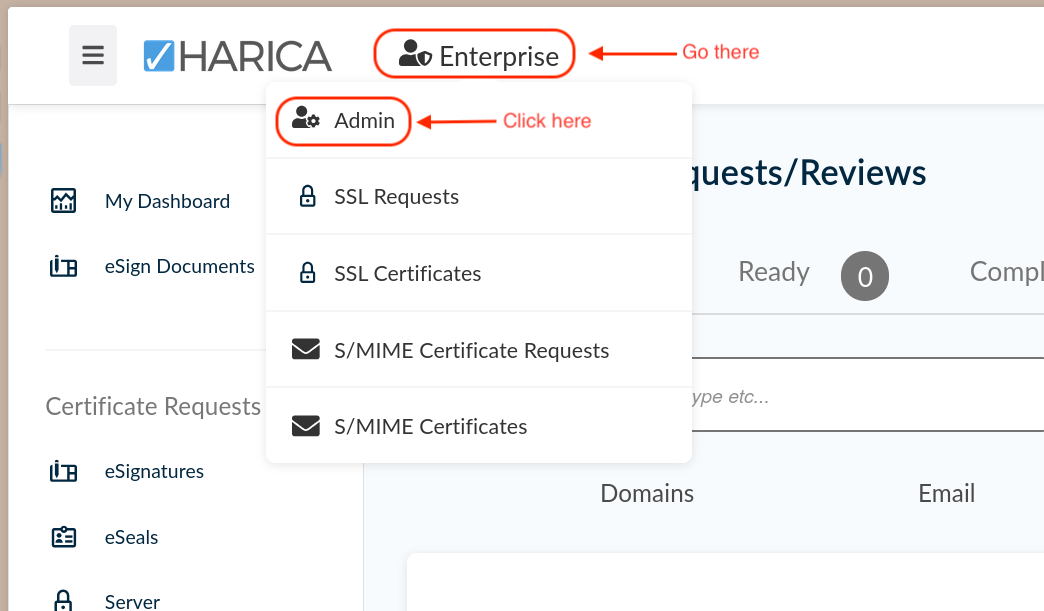
When you are connected, go on the ‘Enterprise’ option at the top left of the page, next to the HARICA logo, and click on ‘Admin’.
Step 3
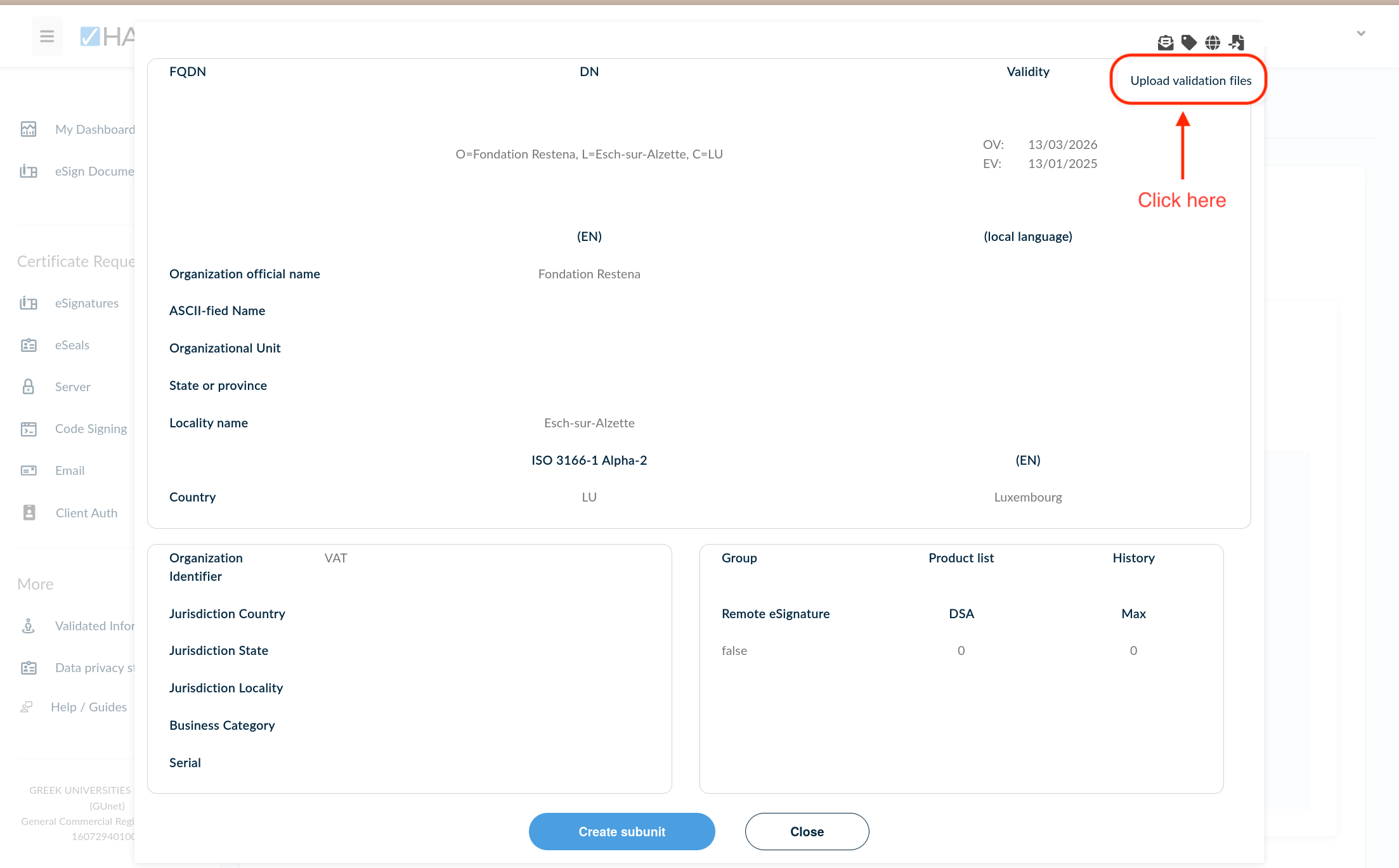
When accessing to your administration interface, a pop-up requesting you to validate your organisation opens up. Please go to the upload button, at the top right of the page, entitled ‘Upload validation files’.
Step 4
Upload a ‘proof of evidence’. The expected document is the following: a screenshot with your organisation details including a deep link on the picture (you can, for example, initiate a printing process from your browser and make sure to have the URL in footer printed) taken from one of the following websites :
- www.lbr.lu, the Luxembourg Business Register (LBR) website ;
- annuaire.public.lu, the Directory of Luxembourg’s public institutions.
Step 5
You must now wait for the final acceptation of your proof of evidence by HARICA.
Attention! Reusing old documents for the validation process is explicitly prohibited.